
Add your domain and the DNS records shown in your dashboard.
Your business deserves
its own email address.
Your domain, your team and your important messages. All in one place.
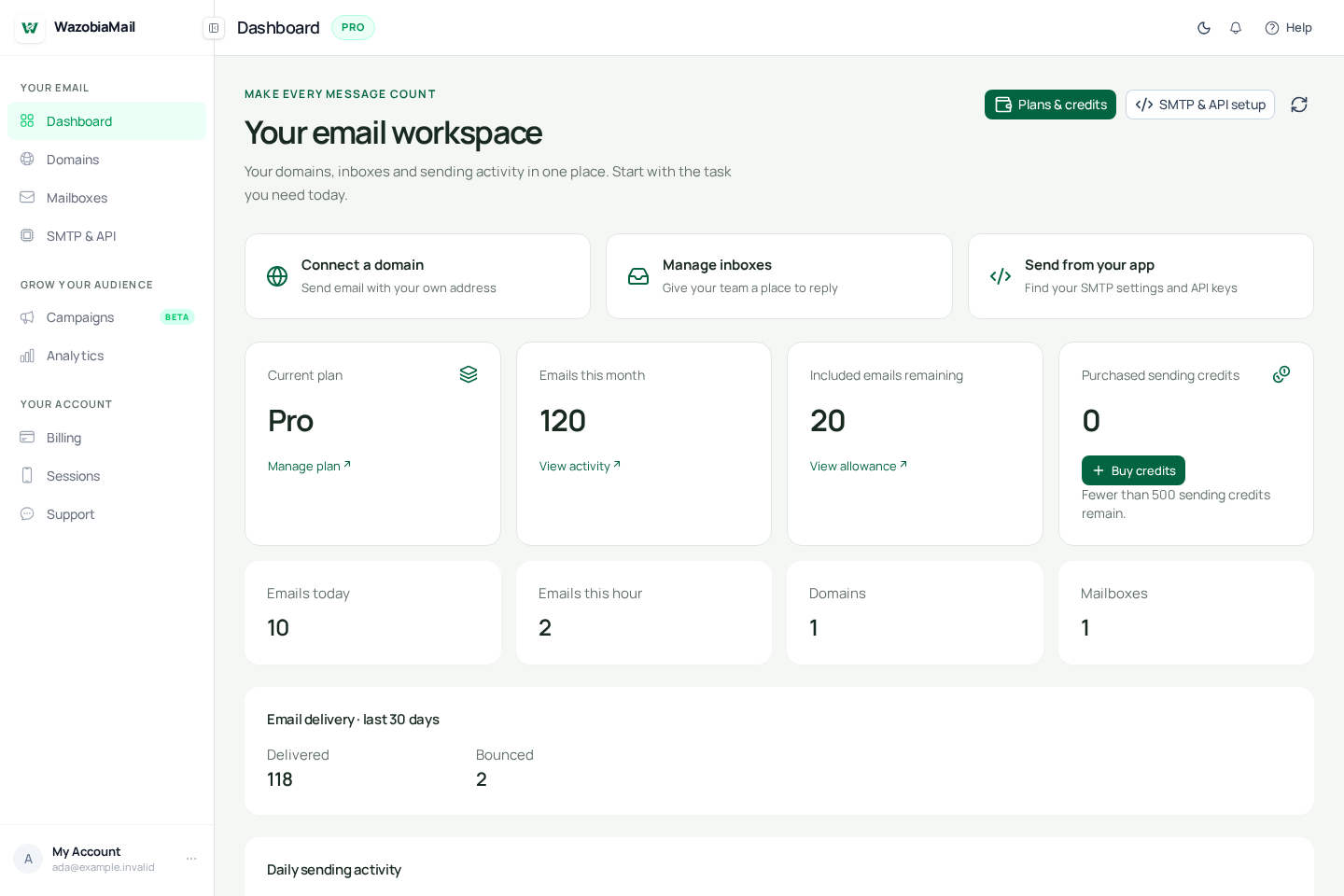
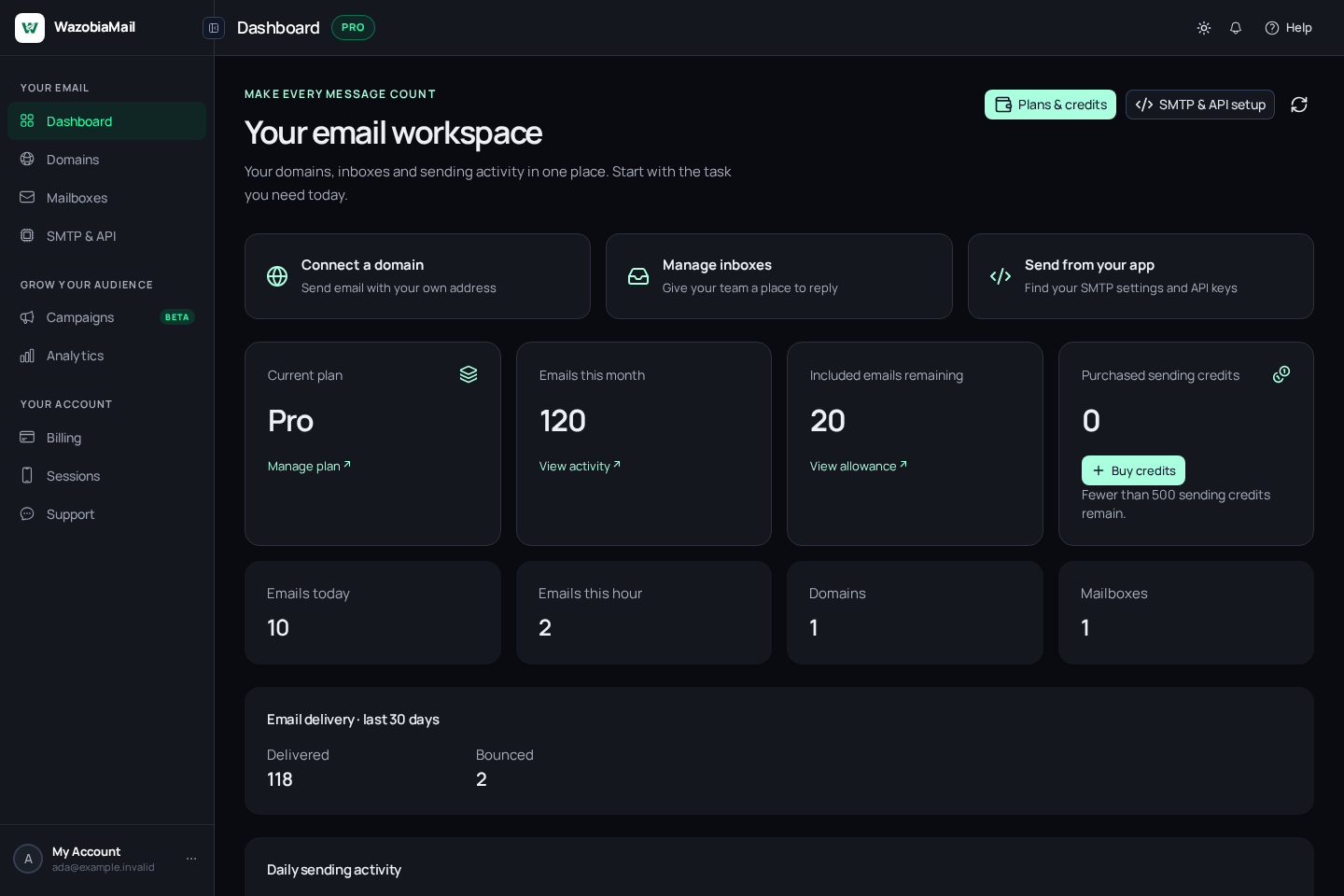
A closer look
Email that fits
the way you work.
How WazobiaMail works
From your domain to their inbox.
Give your team their own addresses and shared account storage.
Connect a mail client with your mailbox’s IMAP and SMTP settings.
Send receipts, login codes and updates from your app or website using the API.
Connect SMTP to Commanda or your marketing tool, then send to your opted-in list.
Receive messages in your hosted mailbox and sync them with your IMAP email client.
A walkthrough of the platform · 1 / 6
Try it now.
Send an email straight to your inbox.
YOUR APP → YOUR CUSTOMERHTTP API
POST /api/v1/sending/messages · X-API-Key
{
  "to": ["someone@example.com"],
  "content": {
    "from": "Your Brand <hello@yourbrand.com>",
    "subject": "A good place to start.",
    "htmlBody": "<p>Hello from your brand.</p>"
  }
}
Illustrative request · keep your API key on your server.
YOUR WORKSPACE, AT A GLANCE
Workspace previewEvery message matters.
Sending domainsYour brandVerified and ready
Email deliveryIn motionFollow your messages
Your next stepSay hello.Make a connection
A clearer view of your email.
EXAMPLE ACTIVITYBuilt for the way you use email
Who is WazobiaMail
made for?
Individuals who need their own address. Businesses that need staff inboxes. Developers who send from apps. Marketers who keep an audience informed. All of them tired of spam folders, missing analytics and overpriced subscriptions.
For businesses and teams
One business name. Every staff inbox.
Staff using personal addresses makes your business look inconsistent and replies get lost.
Create an inbox for each staff member plus sales@ and support@. Customers see your brand and know where to reply.
- Let customers contact sales@ or support@ on your business domain.
- Give each member of staff their own address and mailbox credentials.
- Receive customer replies after a quote, enquiry or order update.
ada@yourbusiness.com
Set up your team email ↗
For developers and programmers
Stop losing users to missing emails.
A delayed login code or missing receipt becomes your support problem. Other providers start at $20/month before you send one message.
Send from your app through HTTP or SMTP. Pay per 1,000 recipients from ₦250 / $0.50. Manage keys, domains and delivery activity in one place.
- Send welcome emails and password-reset links from your application.
- Trigger receipts, booking confirmations and account alerts.
- Check sending activity when a customer reports a missing message.
notifications@yourapp.com
Connect your application ↗
For marketers and agencies
Reach your audience without overpaying.
Sending to a few thousand contacts should not cost a monthly enterprise plan.
Send branded updates and campaigns to an opted-in audience on your own domain. Choose sending capacity for your volume, with credits that never expire.
- Announce products, offers or upcoming events to opted-in contacts.
- Send newsletters through the email API or your connected sending tools.
- Choose a plan around your audience size and sending allowance.
news@yourbrand.com
Plan your email sending ↗
For professionals and independent businesses
Your own address. Not a borrowed one.
Sites reject generic addresses. Recruiters and clients take Gmail less seriously. Your name deserves its own domain.
Get you@yourname.com in minutes and receive messages in your own inbox. Keep your identity as your work grows.
- Receive registration and verification messages without spam folders.
- Use a professional address for freelance work or a portfolio.
- Keep work enquiries in a dedicated mailbox you control.
you@yourname.com
Create your professional inbox ↗
Give your messages a better chance
Your email should
reach the conversation.
When a receipt or login code disappears into spam, people lose time and trust. Start with an authenticated domain, then check your sending activity when something needs attention.
Set up your sending domain ↗Build trust before you send.
- Follow the SPF, DKIM and DMARC records for your domain.
- Send useful messages to people who expect them.
- Test your sender address and content before launch.
- Review delivery activity and investigate failed sends.
- Track opens and clicks so you know what landed.
Authentication helps email avoid spam. Placement also depends on your reputation, content and the receiving service. No email provider can guarantee every message reaches the inbox.
For the builders.
And the businesses they build.
DevelopersGrowing teamsAgenciesIndependent businesses
02A place for every message
All the essentials.
Beautifully together.
Keep signups moving, reply to customers and give your team a professional address.
01 /
Email API & SMTPEmail that fits your code.
A missed login code can stop a signup. Send receipts, password resets and notifications from your backend with HTTP or SMTP.
- Create and revoke sending API keys
- Use your own verified sending domains
- Keep sending credentials on your server
02 /
Custom domainsYour name. Your domain.
Use you@yourname.com for your work, business enquiries or services that ask for a domain-based address.
- See verification status in one workspace
- Configure SPF, DKIM and DMARC
- Manage domains for multiple brands
03 /
Business email hostingAn address for every role.
Give every staff member an inbox on your business domain. Receive customer replies and send from an address people recognise.
- Create and manage mailbox credentials
- Connect with IMAP and SMTP
- Choose the capacity your team needs
For developers · One request from your backend
Ship your app.
Let us handle the email.
A signup needs its login code. An order needs its receipt. Send both from your backend with one HTTP request.
Your stack is welcome here.
- Create an account and verify your sending domain.
- Create an API key and save it in your server environment as WAZOBIA_API_KEY.
- Replace the sender and recipient below, then run the example on your server.
Use HTTP for new integrations or authenticated SMTP for tools you already use. Keep keys out of browser code and public repositories.
Follow the quickstart ↗ Test in Postman ↗A successful response means accepted for sending. Check delivery activity to see what happens next.
curl -X POST https://app.wazobiamail.com/api/v1/sending/messages \
  -H 'Content-Type: application/json' \
  -H "X-API-Key: $WAZOBIA_API_KEY" \
  -d '{
  "to": [
    "you@example.com"
  ],
  "content": {
    "from": "Your Brand <hello@yourbrand.com>",
    "subject": "Welcome to Your Brand",
    "htmlBody": "<p>Your account is ready. Welcome aboard!</p>"
  }
}'
// Node.js 18+ · run on your server
const response = await fetch('https://app.wazobiamail.com/api/v1/sending/messages', {
method: 'POST',
headers: {
'Content-Type': 'application/json',
'X-API-Key': process.env.WAZOBIA_API_KEY
},
body: JSON.stringify({
"to": [
"you@example.com"
],
"content": {
"from": "Your Brand <hello@yourbrand.com>",
"subject": "Welcome to Your Brand",
"htmlBody": "<p>Your account is ready. Welcome aboard!</p>"
}
})
});
const result = await response.json();
if (!response.ok || result.success !== true) throw new Error(result.message || 'Send failed');
console.log(result);// Node.js 18+ · run on your server
const key = process.env.WAZOBIA_API_KEY;
if (!key) throw new Error('Set WAZOBIA_API_KEY');
const message = {
"to": [
"you@example.com"
],
"content": {
"from": "Your Brand <hello@yourbrand.com>",
"subject": "Welcome to Your Brand",
"htmlBody": "<p>Your account is ready. Welcome aboard!</p>"
}
};
const response = await fetch('https://app.wazobiamail.com/api/v1/sending/messages', {
method: 'POST',
headers: { 'Content-Type': 'application/json', 'X-API-Key': key },
body: JSON.stringify(message)
});
const result = await response.json();
if (!response.ok || result.success !== true) throw new Error(result.message || 'Send failed');
console.log(result);<?php
// Requires the PHP cURL extension.
$key = getenv('WAZOBIA_API_KEY');
if (!$key) throw new RuntimeException('Set WAZOBIA_API_KEY');
$message = json_decode('{"to":["you@example.com"],"content":{"from":"Your Brand <hello@yourbrand.com>","subject":"Welcome to Your Brand","htmlBody":"<p>Your account is ready. Welcome aboard!</p>"}}', true, 512, JSON_THROW_ON_ERROR);
$curl = curl_init('https://app.wazobiamail.com/api/v1/sending/messages');
curl_setopt_array($curl, [
CURLOPT_POST => true, CURLOPT_RETURNTRANSFER => true,
CURLOPT_TIMEOUT => 30,
CURLOPT_HTTPHEADER => ['Content-Type: application/json', 'X-API-Key: ' . $key],
CURLOPT_POSTFIELDS => json_encode($message, JSON_THROW_ON_ERROR)
]);
$body = curl_exec($curl);
if ($body === false) throw new RuntimeException(curl_error($curl));
$status = curl_getinfo($curl, CURLINFO_HTTP_CODE);
curl_close($curl);
$result = json_decode($body, true, 512, JSON_THROW_ON_ERROR);
if ($status >= 300 || ($result['success'] ?? false) !== true) {
throw new RuntimeException($result['message'] ?? 'Send failed');
}
print_r($result);package main
import (
"bytes"
"encoding/json"
"fmt"
"net/http"
"os"
"time"
)
func main() {
key := os.Getenv("WAZOBIA_API_KEY")
if key == "" { panic("Set WAZOBIA_API_KEY") }
payload := []byte(`{
"to": [
"you@example.com"
],
"content": {
"from": "Your Brand <hello@yourbrand.com>",
"subject": "Welcome to Your Brand",
"htmlBody": "<p>Your account is ready. Welcome aboard!</p>"
}
}`)
req, err := http.NewRequest("POST", "https://app.wazobiamail.com/api/v1/sending/messages", bytes.NewReader(payload))
if err != nil { panic(err) }
req.Header.Set("Content-Type", "application/json")
req.Header.Set("X-API-Key", key)
client := &http.Client{Timeout: 30 * time.Second}
res, err := client.Do(req)
if err != nil { panic(err) }
defer res.Body.Close()
var result map[string]any
if err := json.NewDecoder(res.Body).Decode(&result); err != nil { panic(err) }
if res.StatusCode >= 300 || result["success"] != true { panic(fmt.Sprint(result)) }
fmt.Println(result)
}// Cargo.toml: reqwest = { version = "0.12", features = ["blocking", "json"] }
// serde_json = "1"
use reqwest::blocking::Client;
use serde_json::{json, Value};
use std::{env, time::Duration};
fn main() -> Result<(), Box<dyn std::error::Error>> {
let key = env::var("WAZOBIA_API_KEY")?;
let message = json!({
"to": [
"you@example.com"
],
"content": {
"from": "Your Brand <hello@yourbrand.com>",
"subject": "Welcome to Your Brand",
"htmlBody": "<p>Your account is ready. Welcome aboard!</p>"
}
});
let result: Value = Client::builder().timeout(Duration::from_secs(30)).build()?
.post("https://app.wazobiamail.com/api/v1/sending/messages")
.header("X-API-Key", key)
.json(&message).send()?.error_for_status()?.json()?;
if result["success"] != true { return Err(format!("Send failed: {result}").into()); }
println!("{result}");
Ok(())
}# Python 3 · standard library only
import json
import os
import urllib.request
message = {
"to": [
"you@example.com"
],
"content": {
"from": "Your Brand <hello@yourbrand.com>",
"subject": "Welcome to Your Brand",
"htmlBody": "<p>Your account is ready. Welcome aboard!</p>"
}
}
request = urllib.request.Request(
'https://app.wazobiamail.com/api/v1/sending/messages',
data=json.dumps(message).encode('utf-8'),
headers={
'Content-Type': 'application/json',
'X-API-Key': os.environ['WAZOBIA_API_KEY'],
},
method='POST',
)
# HTTP errors raise urllib.error.HTTPError.
with urllib.request.urlopen(request, timeout=30) as response:
result = json.load(response)
if result.get('success') is not True:
raise RuntimeError(result.get('message', 'Send failed'))
print(result)// .NET 6+ · run on your server
using System.Net.Http.Json;
var client = new HttpClient();
client.DefaultRequestHeaders.Add("X-API-Key",
Environment.GetEnvironmentVariable("WAZOBIA_API_KEY"));
var response = await client.PostAsJsonAsync(
"https://app.wazobiamail.com/api/v1/sending/messages",
new {
to = new[] { "you@example.com" },
content = new {
from = "Your Brand <hello@yourbrand.com>",
subject = "Welcome to Your Brand",
htmlBody = "<p>Your account is ready. Welcome aboard!</p>"
}
});
response.EnsureSuccessStatusCode();// Java 11+ · run on your server
import java.net.URI;
import java.net.http.HttpClient;
import java.net.http.HttpRequest;
import java.net.http.HttpResponse;
var json = """
{
"to": ["you@example.com"],
"content": {
"from": "Your Brand <hello@yourbrand.com>",
"subject": "Welcome to Your Brand",
"htmlBody": "<p>Your account is ready. Welcome aboard!</p>"
}
}""";
var request = HttpRequest.newBuilder()
.uri(URI.create("https://app.wazobiamail.com/api/v1/sending/messages"))
.header("Content-Type", "application/json")
.header("X-API-Key", System.getenv("WAZOBIA_API_KEY"))
.POST(HttpRequest.BodyPublishers.ofString(json))
.build();
var response = HttpClient.newHttpClient().send(request, HttpResponse.BodyHandlers.ofString());
if (response.statusCode() / 100 != 2) throw new RuntimeException("Send failed: " + response.body());04Small steps, good beginnings
From setup
to sent.
Create your account.
Create your account and choose the plan that fits the way you work.
Connect your domain.
Add your domain and follow the DNS setup. Connect the sending service you need.
Send, receive and grow.
Create your inboxes or connect the API to your app. Send a test to an address you control before going live.
WazobiaMail for businessMake every address
Make every address
feel like your business.
Your domain. Your team. A proper home for your email, with hosted mailboxes and the mail clients you already use.
Explore business emailyourbrand.comYour business, in every inbox
Verifiedhello@yourbrand.comGeneral enquiries
team@yourbrand.comYour people
support@yourbrand.comCustomer care
IMAP + SMTPIllustrative preview
A familiar address
Use your own domain so every conversation carries your name.
Ready for your team
Create mailboxes and manage credentials from one workspace.
Your favourite mail client
Connect through IMAP and authenticated SMTP.
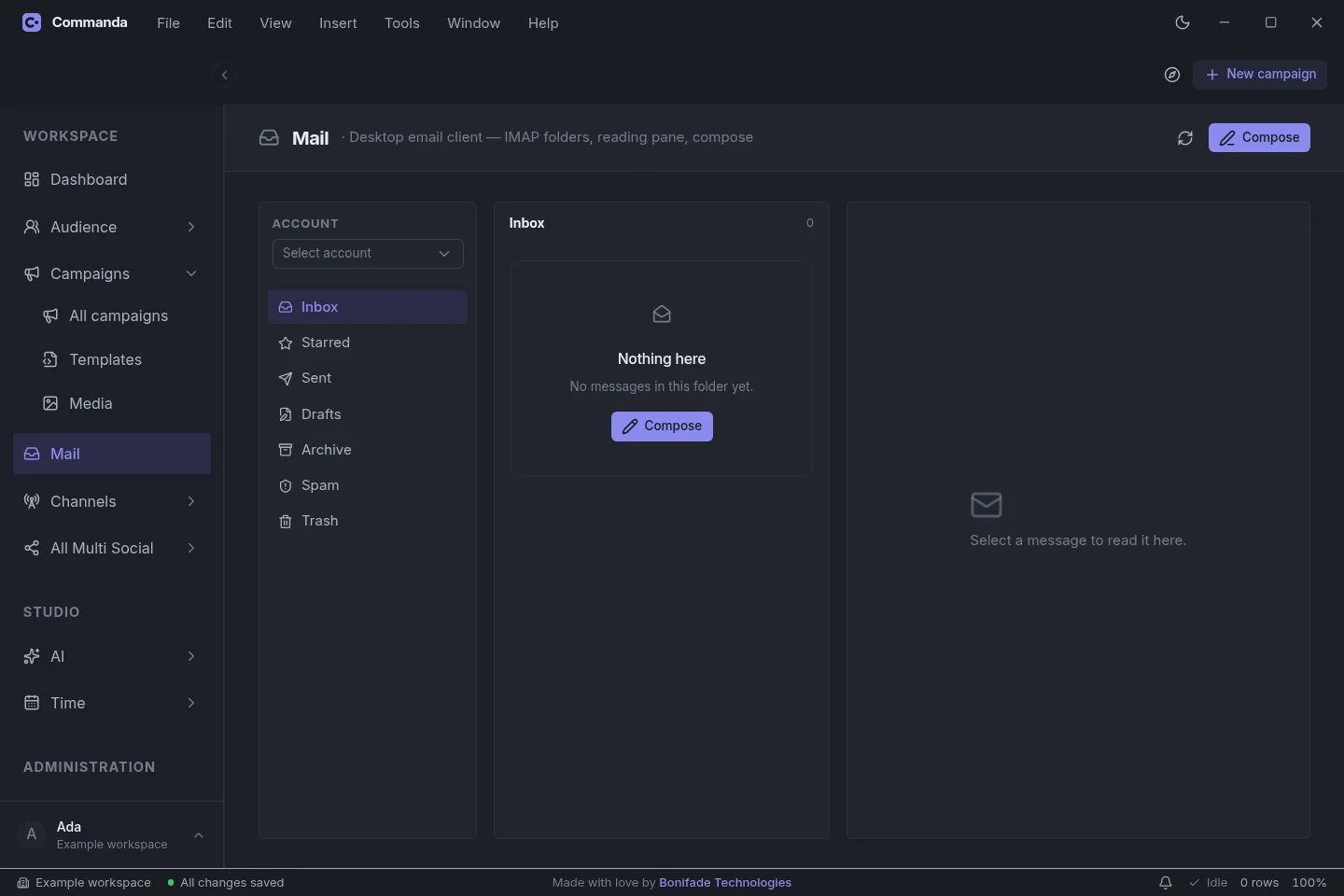
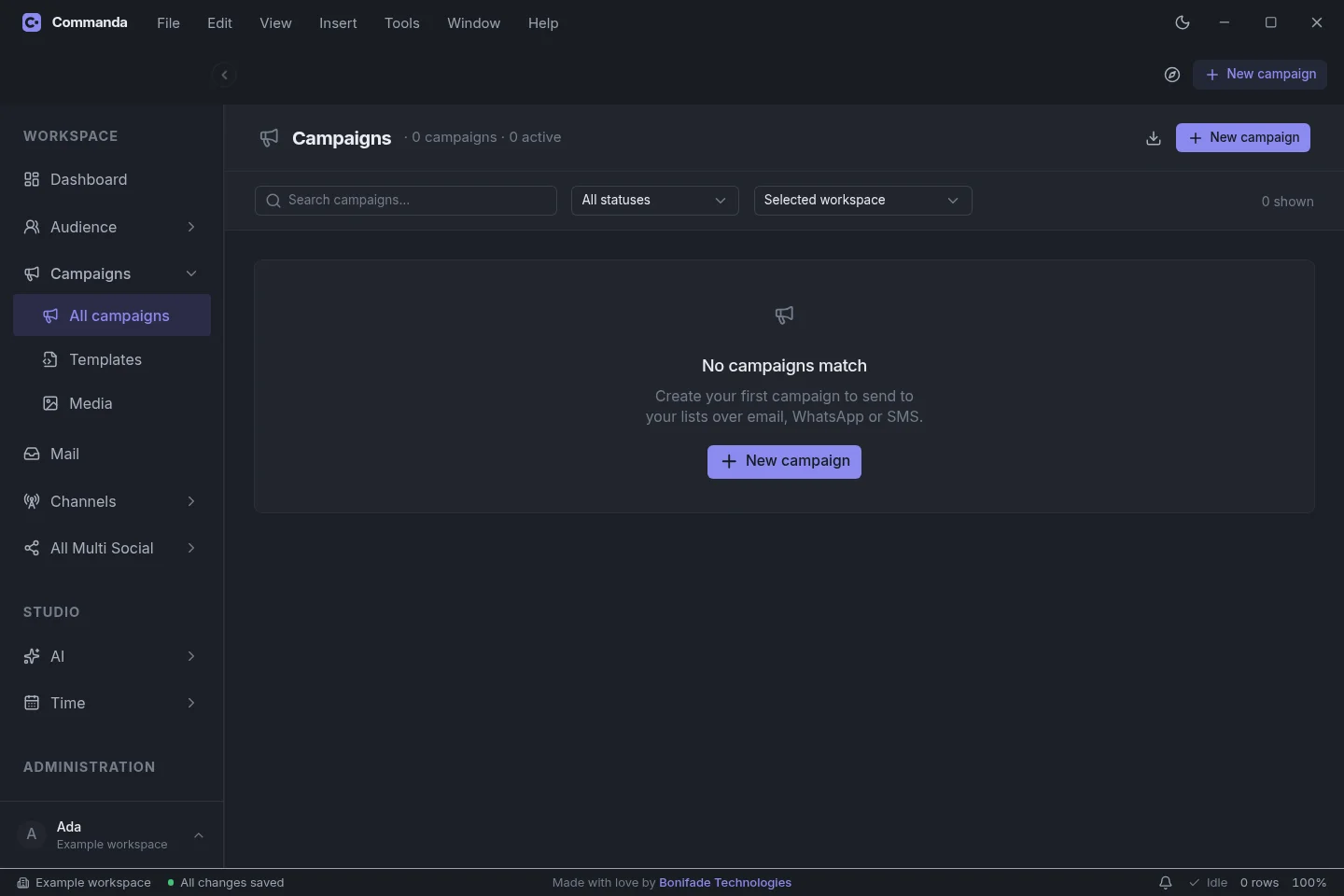
Commanda · Desktop app · Available nowKeep up with customers.
Keep up with customers.
Keep your day simple.
Keep customer details, messages and follow-ups in one app on your computer. Send email, SMS or WhatsApp updates, get help with a first draft and remember the next important task.
Explore Commanda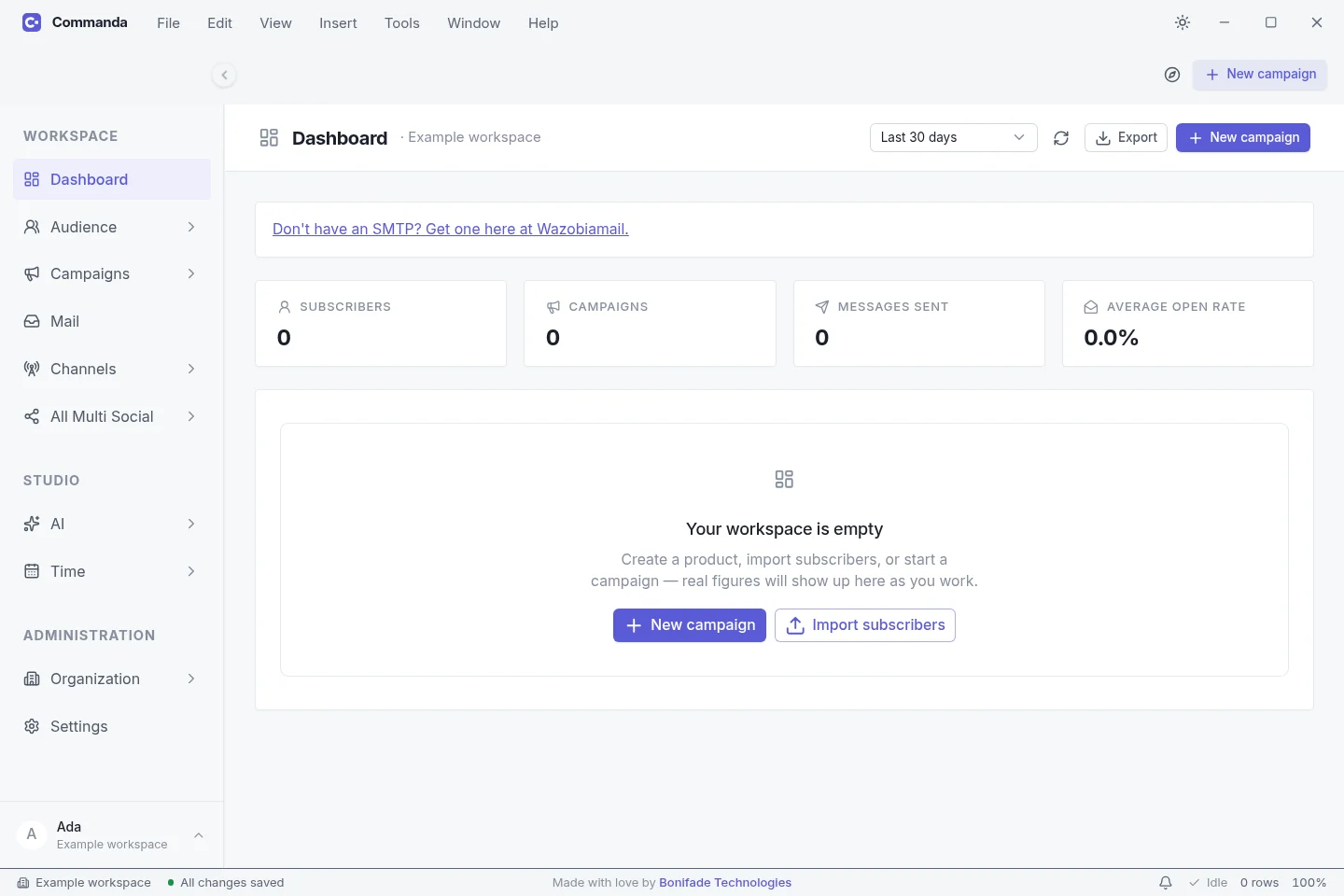
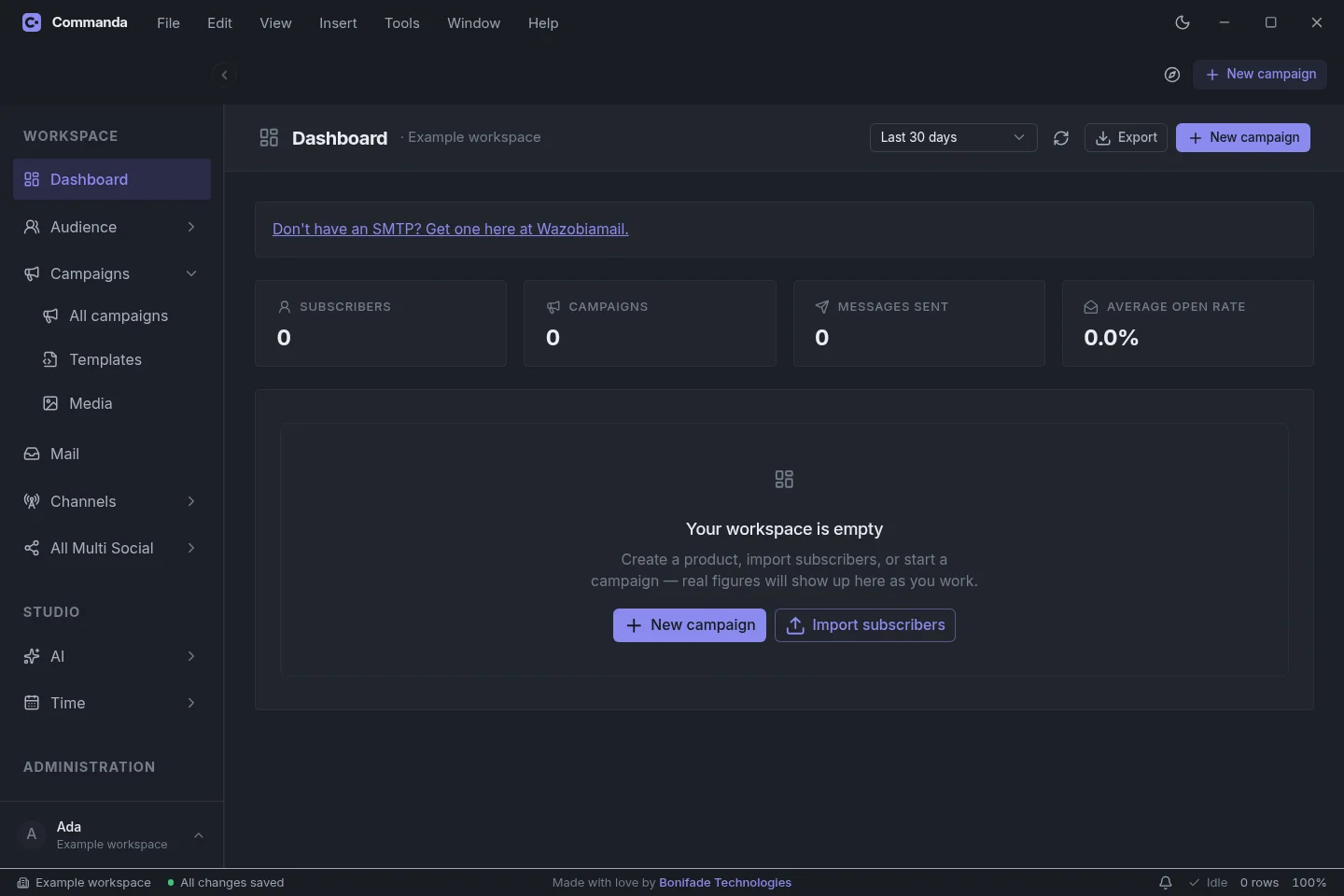
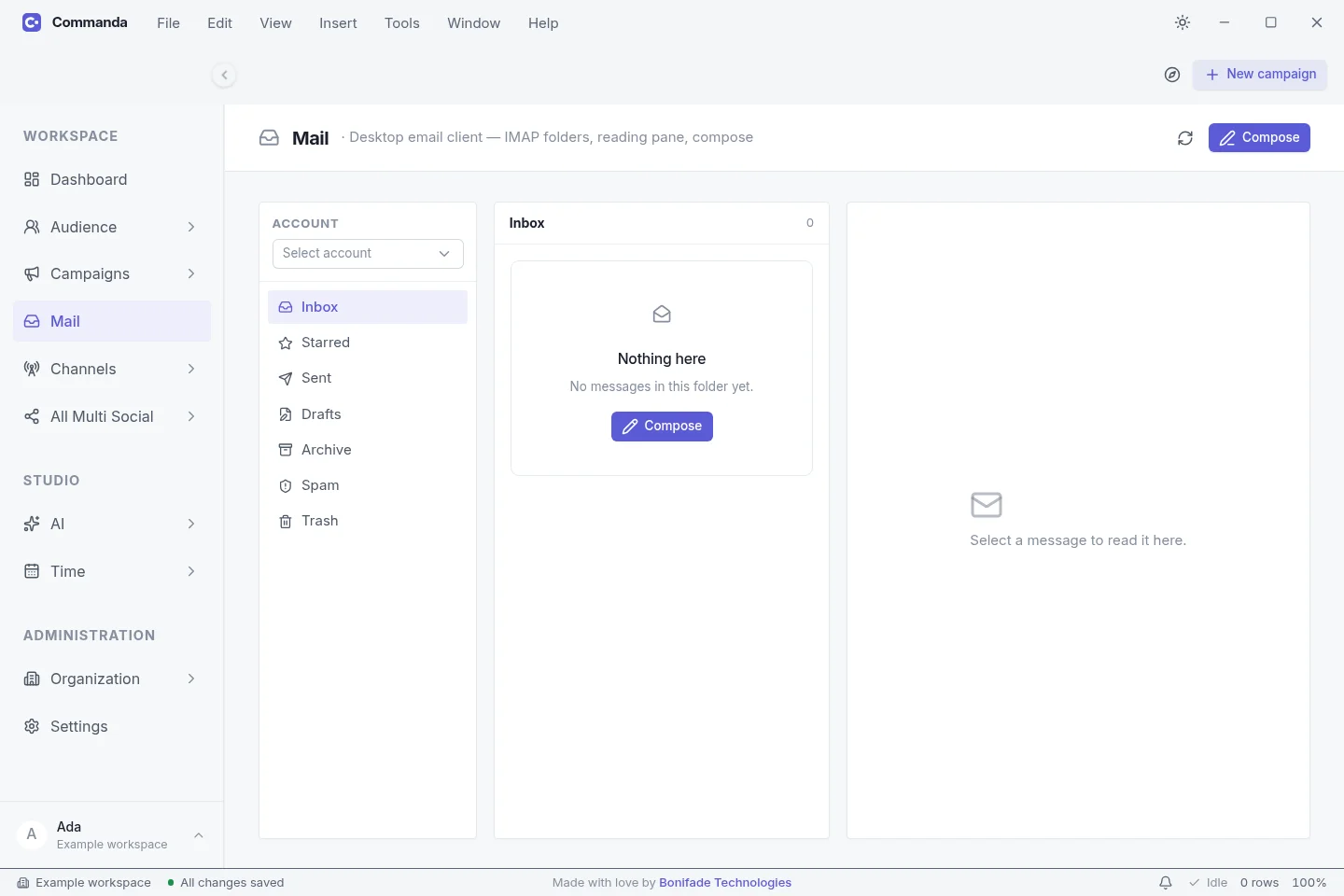
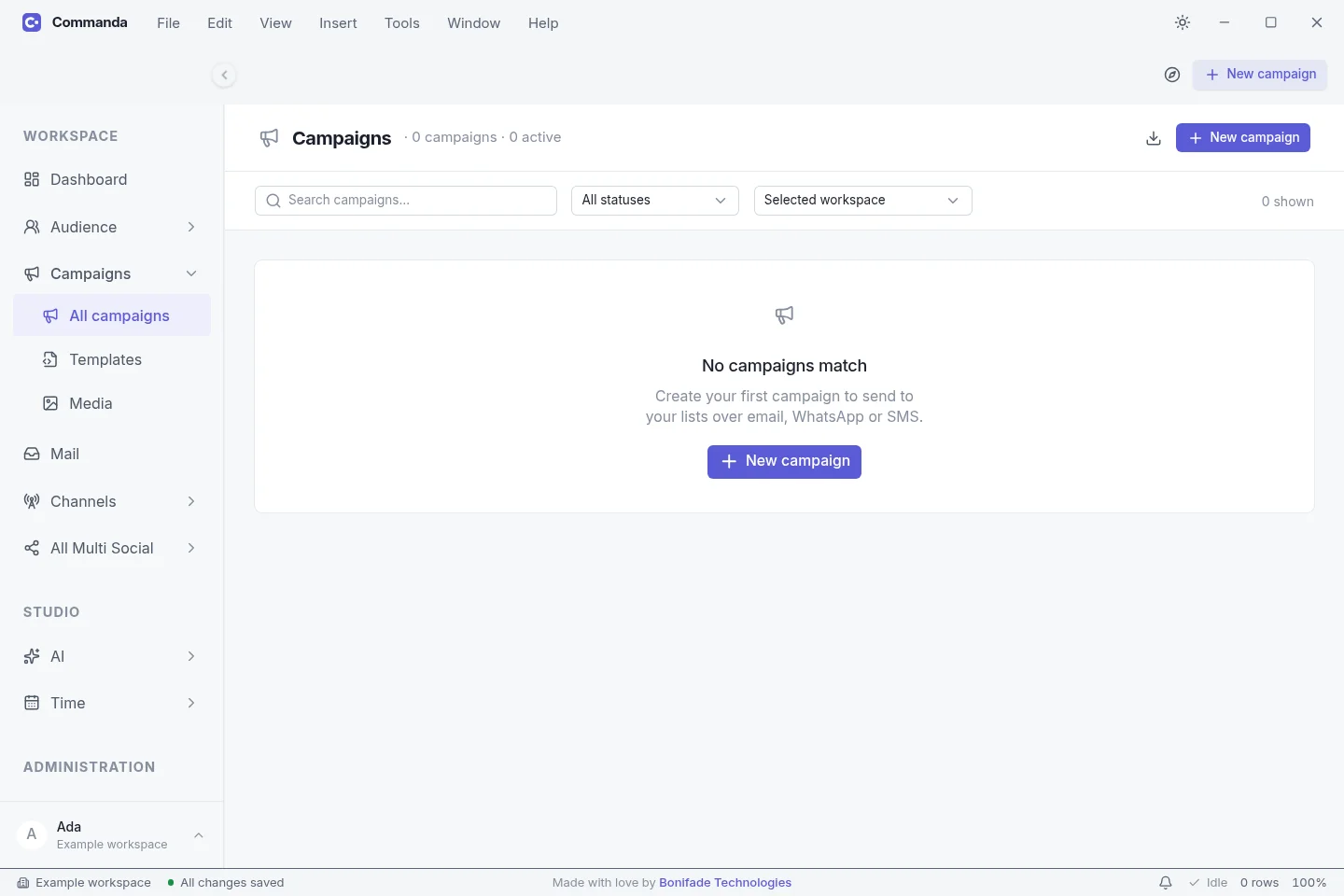
Remember the details
Keep customer names, contact details and notes handy. Choose who needs each update.
Make the next message easier
Reuse a saved message, ask AI for a first draft and send through the service you connect.
Know what you pay for
The app is free. Some functions need a paid subscription, including Gmail reading through WazobiaMail. Connected services may have their own charges.
Find the right fit
What do you need
help with?
Choose WazobiaMail for business email and app sending. Choose Commanda to organise customer messages and follow-ups on your desktop. You can use them together.
WazobiaMail
Business email on your own domain, team inboxes, and email sending for your applications.
Who it helps
Businesses and teams that need staff inboxes. Marketers and agencies sending campaigns from a client domain. Developers sending receipts and login codes. Professionals who want an address on their own name.
How it helps
- Give your team email addresses customers recognise.
- Send receipts, password resets and notifications through HTTP API or SMTP.
- Manage domains, sending keys and recorded delivery activity in one workspace.
What you need
- Verify your domain using the DNS records in your dashboard.
- Choose a plan with receiving and mailbox capacity if you need hosted inboxes.
- Use the current pricing page for sending allowances and prices.
Before you choose
- Free and pay-as-you-go plans cover sending only, without hosted receiving inboxes.
- Domain authentication helps deliverability but cannot guarantee inbox placement.
Commanda
A desktop app to keep customer details, messages and follow-ups together. Available now.
Who it helps
Small businesses, teachers, member groups and agencies that need to keep in touch with customers or subscribers.
How it helps
- Find customer details and notes without searching several tools.
- Prepare personalised email, SMS and WhatsApp updates.
- Remember follow-ups, reuse drafts and organise your next working day.
What you need
- Connect your chosen sending service before sending messages.
- Reading Gmail requires paid WazobiaMail access; hosted tracking and campaign analytics need an eligible paid subscription.
- Sending, AI and cloud-storage providers can have separate charges.
Before you choose
- Scheduled work needs Commanda running and the computer awake.
- Social posts are prepared as drafts; you finish publishing them yourself.
- There is no mobile app; choose Windows, macOS or Linux.
What is WazobiaMail?
WazobiaMail is an email platform from Bonifade Technologies for developers, businesses and agencies. It brings email sending, custom domains and hosted mailboxes into one workspace.
Can I send email from my existing application?
Yes. Use the HTTP sending API from your server, or connect an application that supports authenticated SMTP. Your dashboard provides the credentials and domain settings for your account.
Can I use my own domain?
Yes. Add a domain in your dashboard and publish the DNS records provided for it. Domain verification, SPF, DKIM and DMARC help receiving servers identify your messages.
Do I get an inbox, or only an email sending service?
You can have both. Hosted mailboxes receive mail on your domain and connect to IMAP-capable mail apps. The sending API and SMTP connect your applications to outgoing email. Choose a plan with the mailbox and sending limits you need.
What does pay as you go cost?
Sending 4,000 emails costs ₦1,000 or $2. The minimum credit purchase is ₦2,000 or $3. One email sent to one recipient uses one credit, so a message sent to three people uses three credits. Check the current price before paying.
Do unused email credits carry over?
Yes. Purchased sending credits stay in your account until you use them. Your plan’s included sending allowance resets monthly. The included allowance is used before purchased credits.
Does the free plan include a business inbox?
No. Free and pay-as-you-go cover sending only. Choose a plan that includes receiving if you want hosted inboxes such as hello@yourbusiness.com. The pricing table shows each plan’s mailbox and storage limits.
How can I try sending before setting up an account?
Open Test an email in the homepage walkthrough, enter an address you control, add a subject and message, and choose Send test email. You can use plain or rich text. The public sample allows three attempts, with up to three recipients each, and has a shared daily limit. To test your own verified domain, use your sending API key in the integrations guide.
A plan for your next chapter
Start small.
Make room to grow.
Live plans are temporarily unavailable.
Open the application to review available plans, or ask us about your setup.
Explore your options ↗Your name belongs in your email
Your brand.
Every time you press send.
Create your account Custom domain inboxes for you and your team. Email sending for your apps.